FigStop, a WordPress Powered Blog for Action Figure Collector Goes Live
Friday, September 28, 2018Figstop is a WordPress powered blog build to share my passion for Action Figure and Statues Collection, Toy Photography and Diorama making. Figstop development is two phase process, phase one being a UX designing (check full story here) and two being WordPress custom theme development. UX designing was done in-house and the visuals turned out beyond expectations. Now it’s time for WordPress development, I decided to do a custom theme for this blog so started from scratch.
Basic Structure:
Most of my custom WordPress themes start from scratch and for the last few years I being using out of boilerplate generator called underscores, which can be generated from underscores.me. This barebone theme gives all the basic structure, styles and necessary files that otherwise need to developed from ground up, this saved a lot of time and effort building the basics.
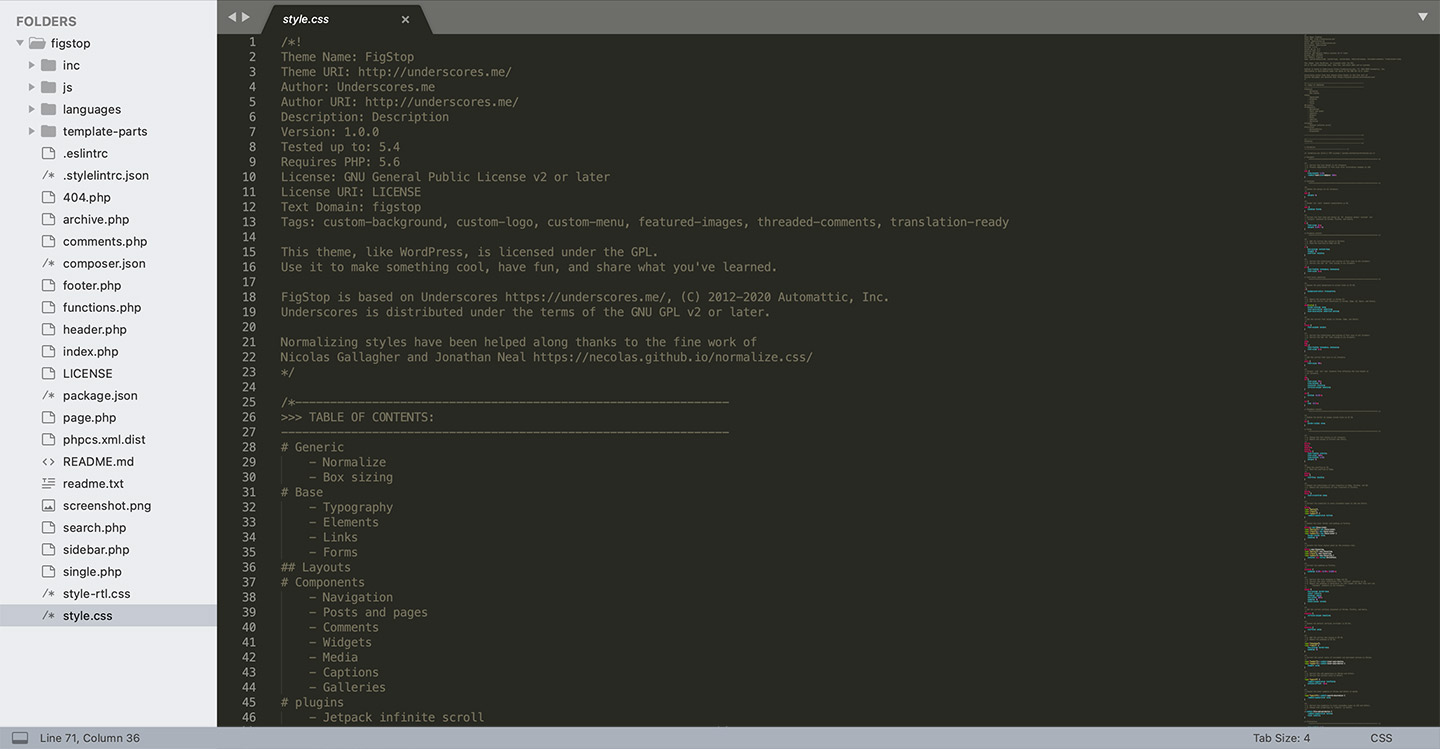
This is a starter theme build to be served as base and you get some option to customise like the name, I generated it as Figstop other than that, everything else is out of the box, and the same was added and activated as default theme in my local WordPress setup.
Customisation Console:
WordPress is quite powerful out of the box, but when it comes to customisation it still needs some personal touches, in my case it needed a section in which author (that me) can change categories for specific components without touching the codebase. For the customisation part, I added a panel in the admin section to set categories for specific component, this gives me option to pick from PHP to pick and loop.
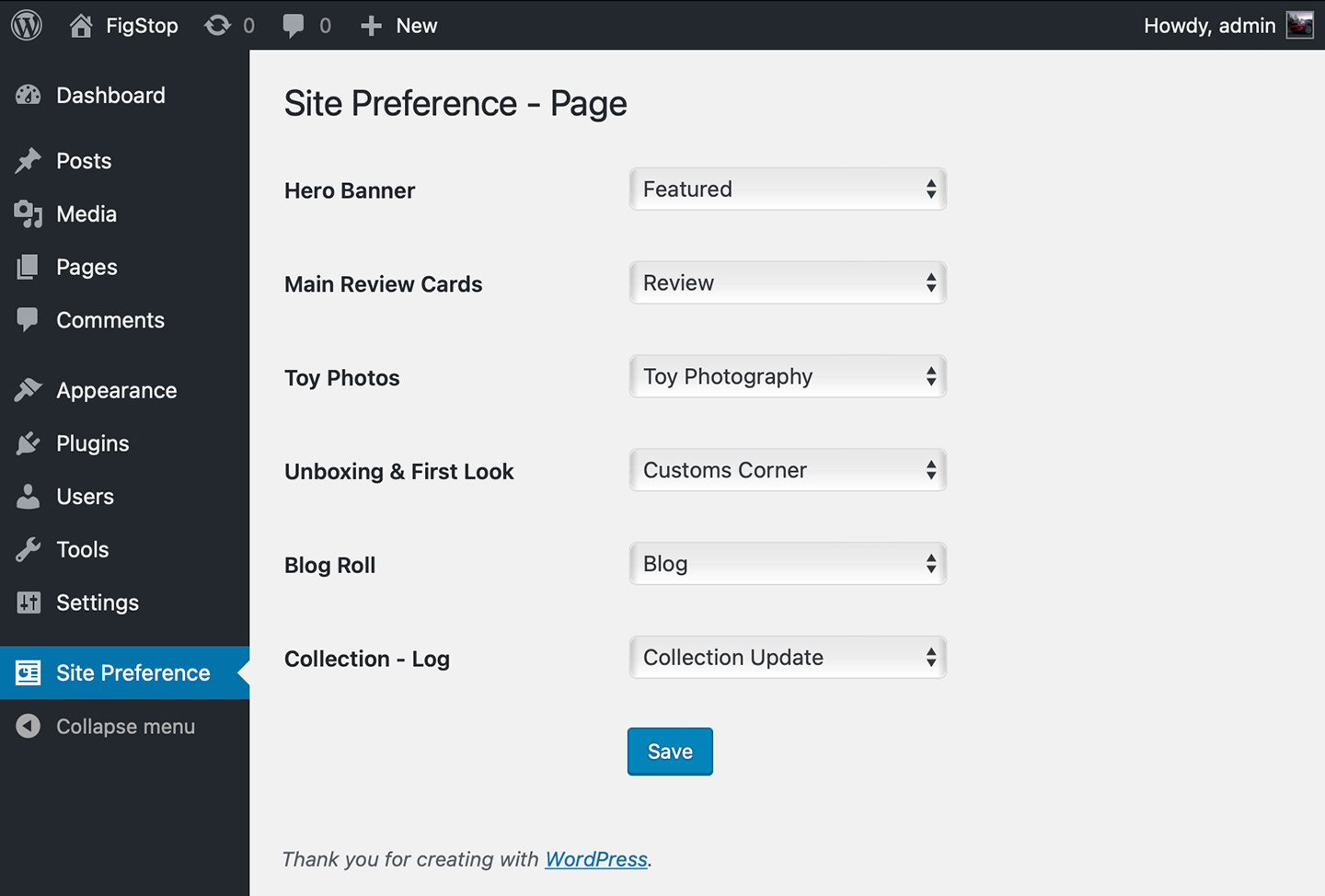
Figstop gets seven component in the home page, this needs 7 categories but because “Toy Photography” and “Random Toy Photography” uses the same category I only put up six. Setting up this section is my second step and first is creating the categories and some sample post to go with.
Custom Components
As a generic practice I always develop with future updates in mind even for my own blogs. Coding is not just boring but also consumes time, but if you can reduce development effort then I should be doing them. To further proof any CMS the pages and layout has to be decoupled, this can be done by developing component instead of pages. For home page I developed seven components (Hero, Reviews, Random Pics, Unboxing, Blog Feeds, Toy Photography and Collection Log), which I can add into any page in any order if prefer to do later for better conversion or performance.
Styling
I approached the build with a mobile-first strategy, starting from the smallest viewport (360px) and focusing on essential content and touch-friendly UI elements. From there, I applied progressive enhancement, gradually optimising layouts for larger screens. Custom CSS media queries were introduced at key breakpoints (480px, 768px, 1024px) to refine typography, navigation, and content arrangement for each device category.

Performance & Optimisation:
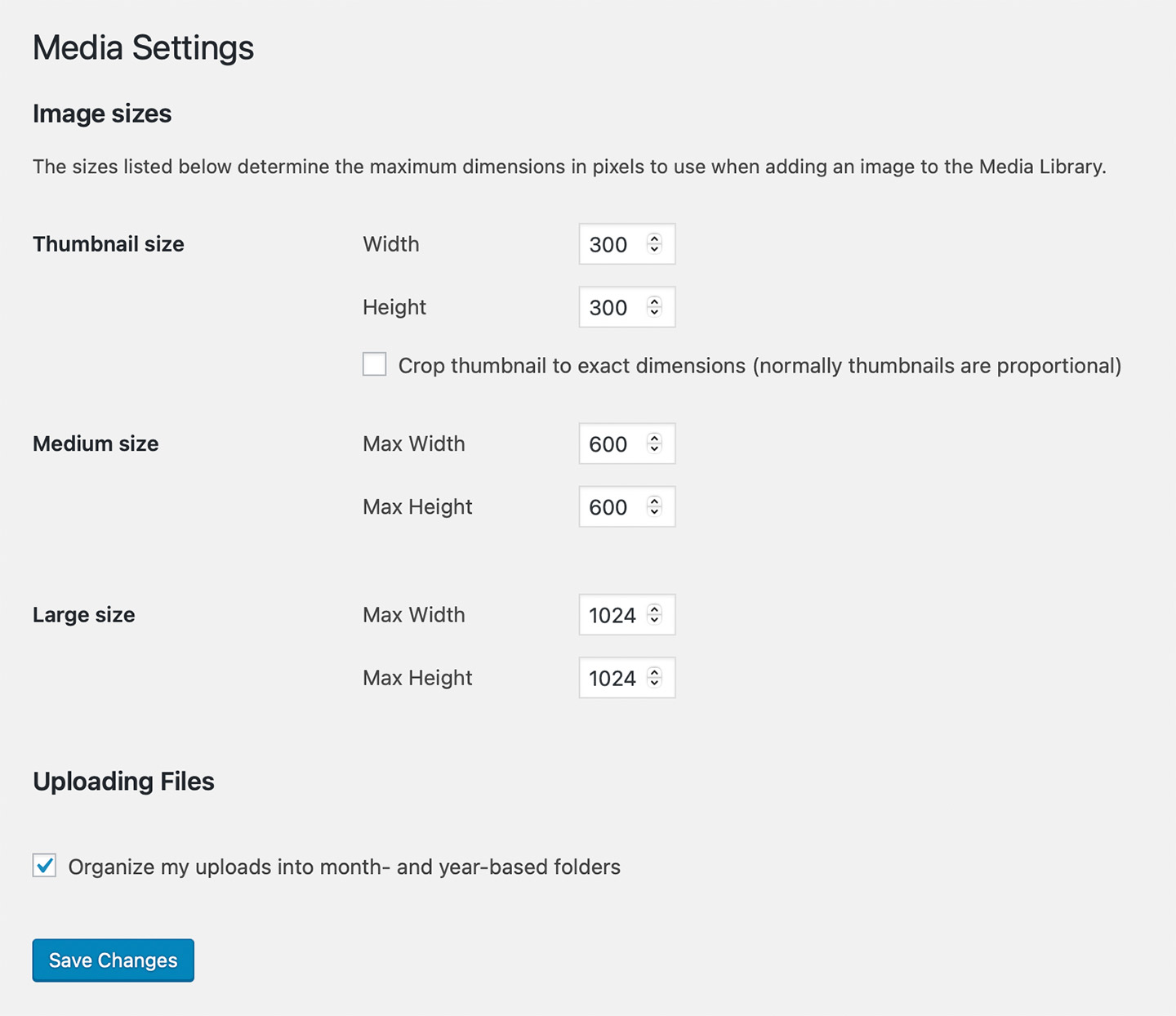
Performance was a top priority for me as this is meant to be a conversion generating tool. This being a media heavy platform, photographs play an important role in the delivering the correct user experience to the visitors. All the photos are optimised via Photoshop compression (along with watermark addition) and WordPress’s built-in tools (optimised to put up custom media sizes), and best practices were applied to ensure fast load times — even on slower mobile connections.
I also maintained a clean, lightweight codebase from PHP to CSS, using vanilla JavaScript alongside jQuery to handle seamless interactivity. I could have used plugin but me being old school, wanted full control over my codebase so stayed away from plugins as much as possible, which work for me.
Plugins:
The only plugin that used in this assignment is “Jetpack”, which is used only for social sharing. Using this saved a lot of time reinventing the wheels. Even then I dint use it as is, which made it quite cool, only the underlaying mechanism was used. The idea behind using this plugin as opposed to other plugins is that this is extremely useful in longer run, when I decided to more with it.
Authoring:
The admin panel is vanilla WordPress, with custom fields for the post to enhance it, enabling seamlessly publish of post/pages without touching code. You can even update of categories or post feeds without touching the code as well. The admin section is not touched or customised that way anyone can author this without going through a long learning curve, this is also done to keep it simple if I decided to outsource authoring later.
SEO (Search Engine Optimisation):
SEO optimisation and scalability were integrated from the start, ensuring the site could grow without technical compromise. In-house SEO worked and this being a WordPress powered blog, it is expected. I also customised the description for posts and search list pages, which will further enhance SEO.
QC:
Before launch, the site underwent extensive testing on both physical devices (iPhones, iPads, MacBook, Android mobiles & tablets and Windows desktops/laptops. This helped identify and correct inconsistencies in rendering, touch interactions and performance across modern and legacy browsers. The result is a fast loading WordPress theme that blends design, usability and performance.
Launch:
After weeks of design, development and testing, the WordPress powered FigStop.com was ready to go live. The launch process began with a full pre-launch review, WordPress installation, PHP updates in hosting server, importing page content, link test and feature to ensure a flawless user experience across devices and browsers.
With performance in mind, I optimised images, minified code (CSS and JS) and set up caching to guarantee fast load times, even on mobile. SEO essentials were in place from day one, including meta descriptions, sitemaps, and search engine submissions. Security and backups were also configured to protect the site and ensure quick recovery if needed.
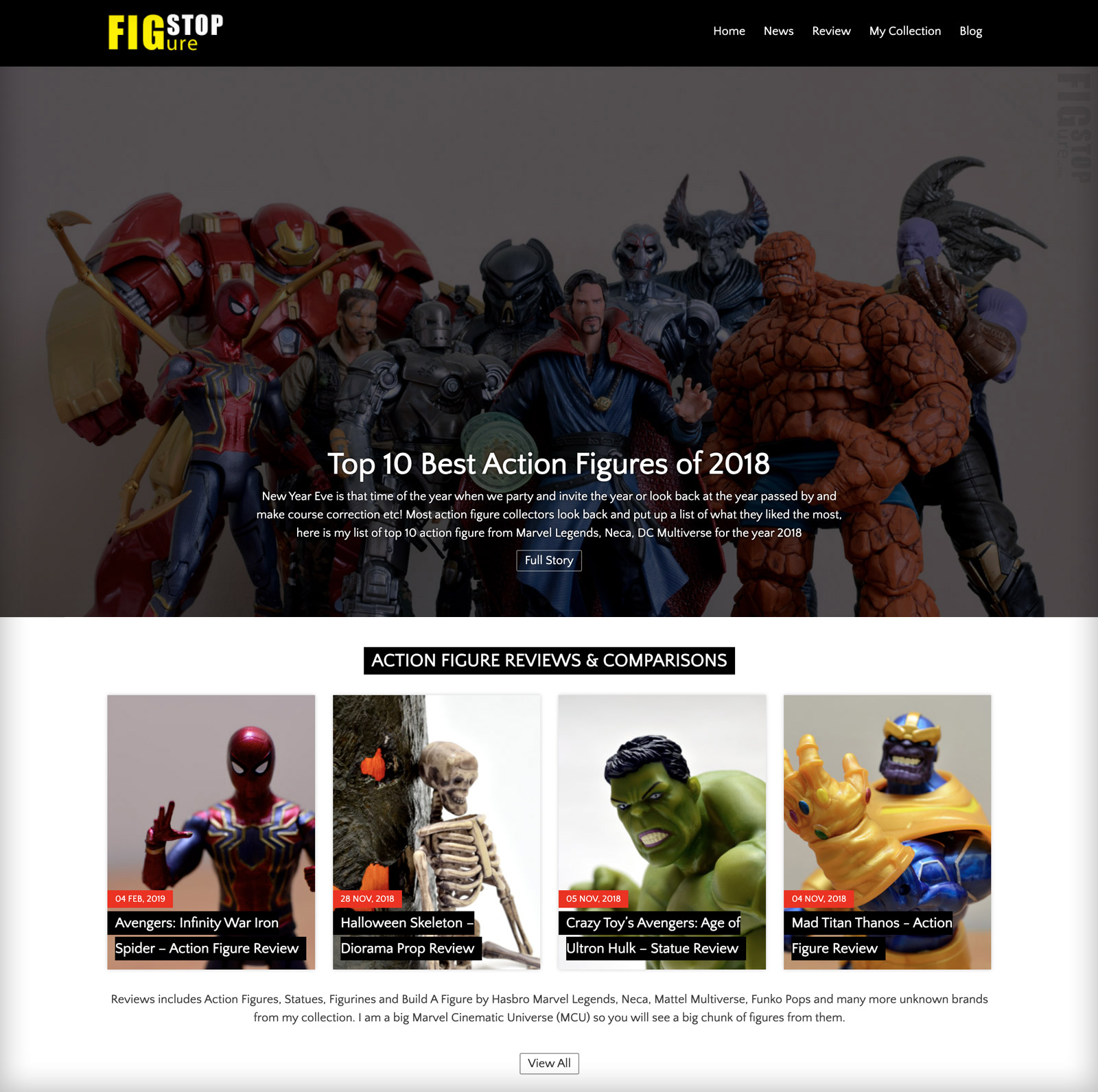
The result was a smooth, stress-free launch — delivering a fast, secure and fully functional website from the moment it went live. I also monitored site performance, analytics data for few weeks and fixed any unexpected issues, which are bare minimal. Google also picked these page, which started getting better with more posts going live.